
The Title Text Header
The theme includes two types of site header: the title text header and the default logo header. The Title Text Header displays the site title (Settings > General > Site Title) and works best for departments and organizations with long names.
The Title Text Header also replaces the Global Menu with the selected Site Parent Organization (Appearance > Customize > Theme Options > General). The default link is the College of Liberal Arts and Sciences.

Changing the Header Type
Step 1: To open the Customizer, go to Appearance > Customize in the admin dashboard menu.
The Customizer displays a live preview of the website on the right and a list of settings on the left.
Step 2: Select Theme Options from the list.
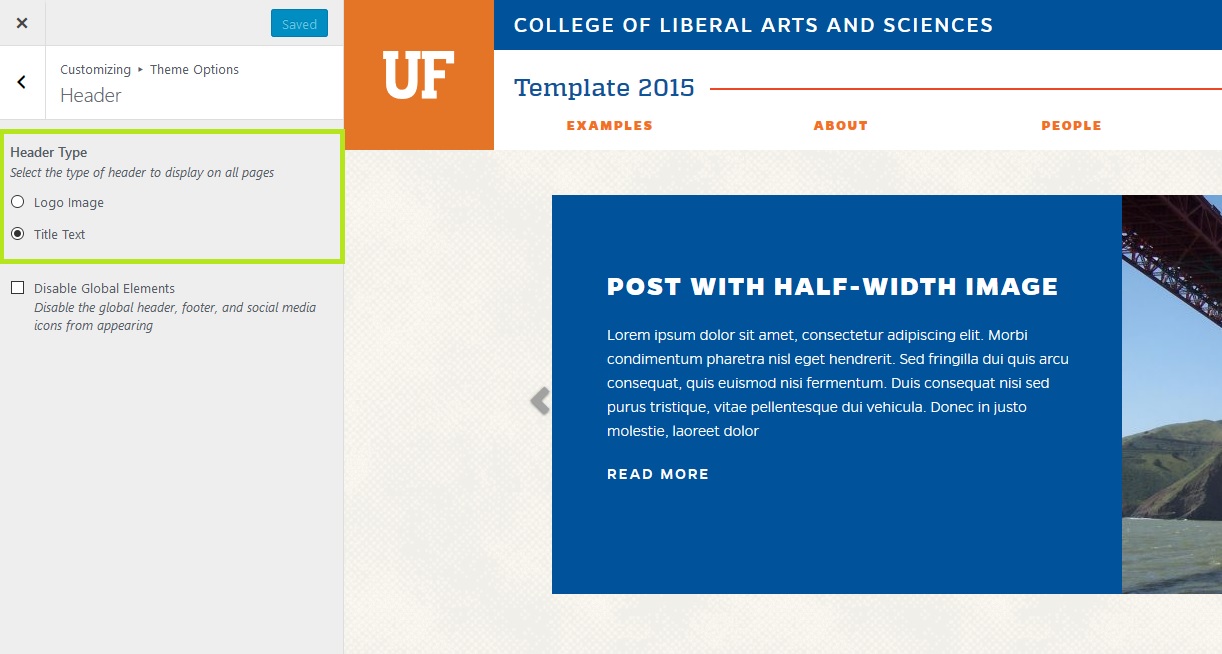
Step 3: Select Header. Change the Header Type to either Logo image or Title Text.
Step 4: Click the Save and Publish button to save your changes.