Update Department Mailing Lists
Department mailing lists have migrated to Exchange Online and will be updated through the Exchange Online Admin console: https://admin.exchange.microsoft.com/#/groups
In the past, these lists also updated share and printer access but management of lists is now a separate process: Update Department Share and Printer Access
After logging in to the console, navigate to Groups and select “Groups I own“
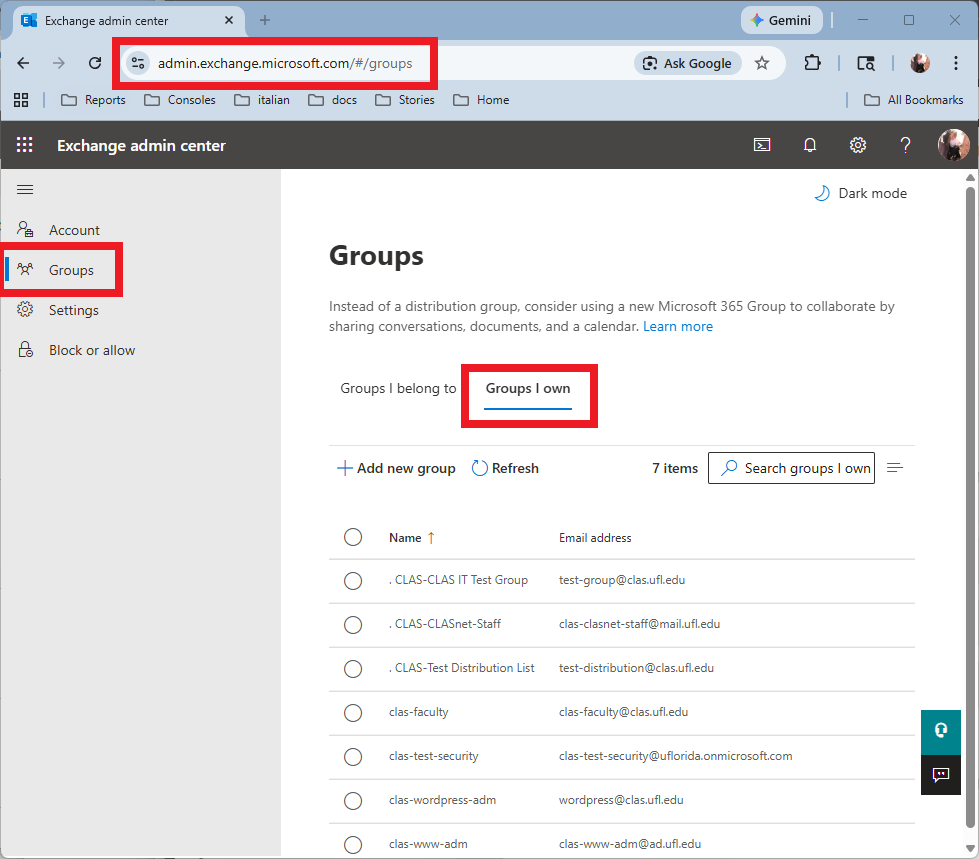
Select the group you wish to update and select the Members tab.

To add a new member select Add members.

Search for the user or group you wish to add, select them from the list and click Add.

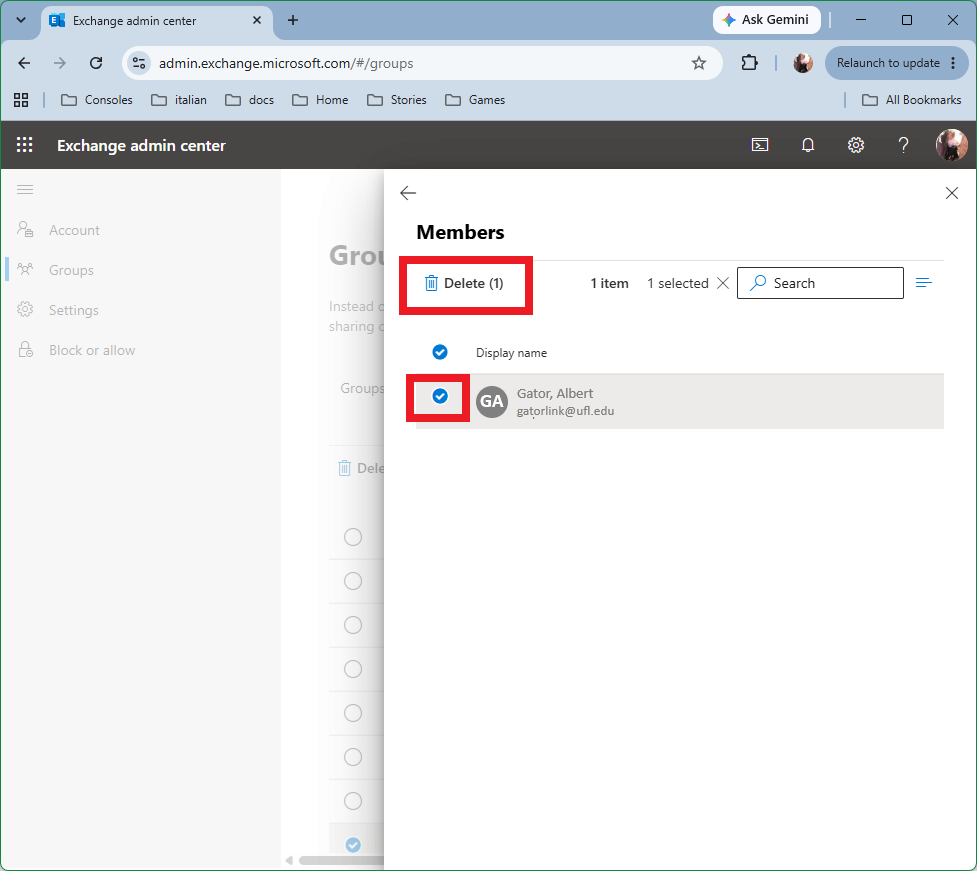
To remove a member, select the user and choose Delete from the top menu.